Checkers Unblocked
Twelve pieces each, mandatory jumps and a race to crown kings on the far row.
What is Checkers?
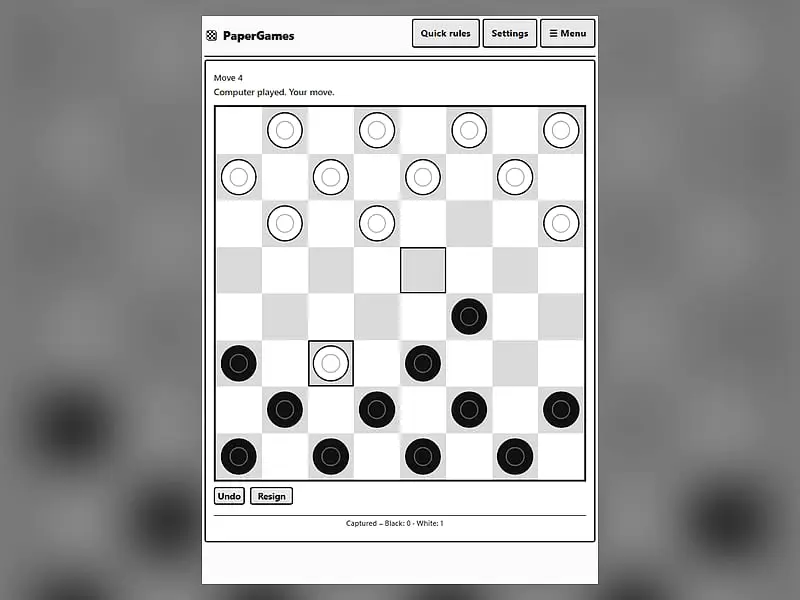
Checkers is a two-player board game on the dark squares of an 8x8 board. Pieces move diagonally forward, capture by jumping over enemy pieces, and become kings when they reach the far side. You win by taking all of your opponent's pieces or leaving them with no legal move.
- Category
- Card & Board Games
- Players
- 1–2+ players (same screen)
- Plays on
- Phone, tablet & desktop
- Input
- Mouse, Touch, Keyboard
- Made by
- Christopher Müller
- Checked
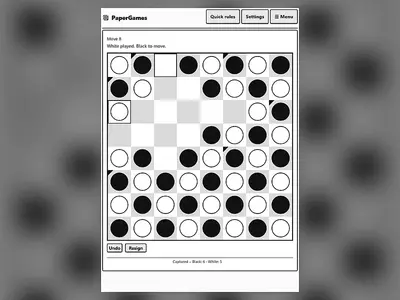
Checkers looks gentle, but the forced-capture rule turns it into a game of traps. Because you must jump whenever you can, a good player can hand you a piece on purpose and take three back. This version from Christopher Müller’s PaperGames project plays on a clean black-and-white 8x8 board that is easy to read on a phone or a Chromebook. Play it unblocked against an easy, medium or hard computer, choose which color you want, or pass the screen to a friend for a local match. Your game in progress is saved automatically.
Moving, Jumping and Crowning
Each side starts with twelve pieces on the dark squares of its first three rows, and Black moves first. An ordinary piece, or man, steps one square diagonally forward onto an empty dark square. It never moves backward.
To capture, a man jumps diagonally over an enemy piece next to it and lands on the empty square just beyond. If it can jump again from there, the chain continues in the same turn. You only tap where the chain should end, and the game plays every jump in between.
Captures are compulsory. As long as one is available, quiet moves are blocked.
A man that reaches the opposite edge becomes a king. Kings still move one square at a time, but they can go forward or backward, which makes them far more useful in the endgame.
You win when your opponent has no pieces left or cannot move on their turn. Forty moves each without a capture ends the game as a draw.
Checkers controls
| To do this | Keyboard | Mouse | Touch |
|---|---|---|---|
| Choose a piece and its destination | Arrow keys to reach a square, Enter to pick it | Click your piece, then the square it should land on | Tap your piece, then the landing square |
| Switch between friend and computer play | — | Click "2 Player (local)" or "vs Computer" | Tap "2 Player (local)" or "vs Computer" |
| Begin a computer match | — | Choose a color and level, then click "New game" | Choose a color and level, then tap "New game" |
| Reverse your previous turn | — | Click "Undo" | Tap "Undo" |
| Bring back the mode buttons mid-game | — | Click "Menu" | Tap "Menu" |
Mistakes That Lose Checkers Games
- Emptying the back row too soon. Those pieces stop enemy men from crowning. Move them last.
- Leaving gaps behind your pieces. A man with an empty square behind it can be jumped. Pieces that travel in diagonal pairs protect each other.
- Ignoring what a forced jump sets up. Before you take, look at where your piece lands. The computer on Hard loves to give one piece and win two.
- Hugging the edge. A piece on the side has only one forward square. Central pieces have two and control more of the board.
- Trading without a plan. Swapping pieces helps the player who is ahead. If you are behind, keep the board crowded.
Who Will Enjoy It
This is a strong pick for anyone who wants a short, thinking game without a long rulebook. The three computer levels cover a wide range: Easy moves at random, Medium looks one move ahead, and Hard searches several moves deep. Settings let you enlarge the text, raise contrast, add spacing or change how fast the computer replies, which helps on small or dim screens.
Once you are comfortable here, Chess vs Computer is the natural next step, and Konane offers a Hawaiian game built entirely around jumping.
Checkers: questions players ask
Can you play checkers with two players on one computer?
Yes. Choose the local two-player mode and the board stays in the same orientation while you take turns. Black moves first, and the computer stays out of the game entirely.
Is jumping mandatory in this checkers game?
It is. Whenever you have a capture, the game will not let you make an ordinary move. If two different jump routes finish on the same square, it asks which enemy piece you meant to jump so the right chain is played.
How do you beat the Hard computer at checkers?
Keep your back row intact for as long as you can, avoid single pieces with empty squares behind them, and use Undo to replay positions where you lost material. Hard reads several moves ahead, so it rarely falls for one-move tricks.
Can a game of checkers end in a tie?
Yes. If both sides make 40 moves without any capture, the game is declared a draw. That rule stops endless chases between a couple of kings with no way to finish.
Is this checkers game free and unblocked on school Chromebooks?
The game is free and loads from FreezeNova's own server with no downloads or sign-ups. It runs in any modern browser, including Chromebooks, though some school networks block game sites regardless.
Credits and license
Checkers was created by Christopher Müller and released as open source. FreezeNova hosts a lightly adapted copy on its own server, together with the original license file.
- Source code: github.com/YourChaosChris (original project)
- Code license: MIT
- Art & audio: MIT (board and pieces drawn with CSS, no image or audio files)
- Our changes: We copied just the Checkers game out of the PaperGames collection and fixed its language to English. The offline service worker, language picker and links to the rest of that site were removed. The rules and computer opponent are exactly as the author wrote them.