Word Search Unblocked
Twelve words, eight directions, one grid of letters. Or make your own list.
What is Word Search?
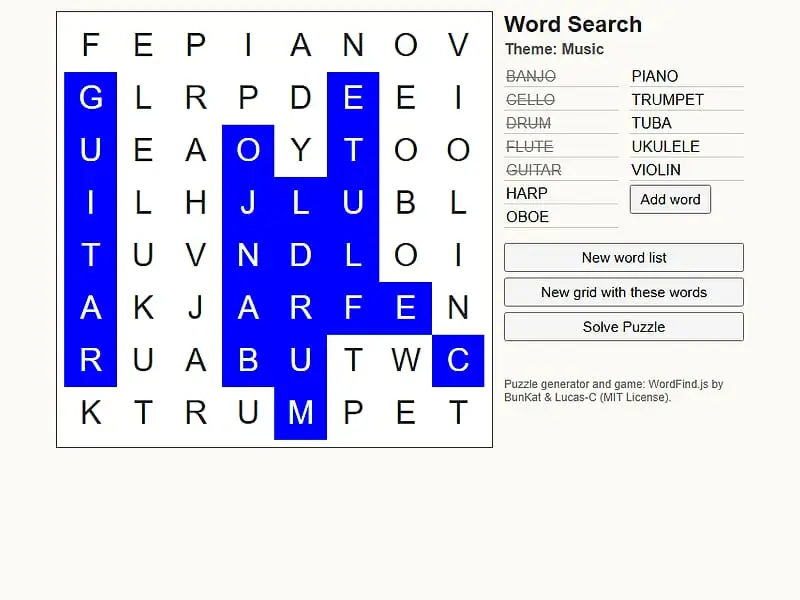
Word Search is a single-player letter-grid puzzle. Twelve listed words are tucked into the grid in straight lines, and any of them may read left, right, upward, downward or on a slant. You mark a word by dragging over it, and you win once all twelve are crossed off.
- Category
- Puzzle Games
- Players
- 1 player
- Plays on
- Phone, tablet & desktop
- Input
- Mouse, Touch
- Checked
Word Search is the familiar letter-grid hunt, with one handy extra: you can feed it your own words. Every board conceals twelve words in straight runs that may go in any of eight directions, and the words frequently overlap so one letter serves two of them. Sweep across a word and it gets struck off the list. You can play it unblocked here. Under the hood it uses WordFind.js, a free puzzle generator written by Bill at BunKat LLC and extended by Lucas-C.
Finding the Words
When the page loads, one of seven themes is chosen, for example Space or Kitchen. Pick a word from the list, spot where its opening letter sits, and pull your pointer or finger across to where the word ends.
A correct match turns blue and the word is crossed off. A wrong selection just disappears, so there’s no penalty for trying.
Get all twelve and the board goes green to confirm you finished. Nothing is timed or scored. If you give up, “Solve Puzzle” shows the remaining words in purple. You can then load a new theme or reshuffle the same words into a different grid.
Making your own puzzle
The word list on the side is editable. Change any entry, add extra boxes, then ask for a fresh grid, and the generator squeezes in each word, making the board bigger if it must. It is a quick way to turn a spelling list, a set of names or vocabulary from a lesson into a puzzle.
Word Search controls
| To do this | Keyboard | Mouse | Touch |
|---|---|---|---|
| Mark a word | — | Press on the first letter and drag to the last | Touch the first letter and slide to the last |
| Load the next theme | — | Click "New word list" | Tap "New word list" |
| Reshuffle the current words into a new grid | — | Click "New grid with these words" | Tap "New grid with these words" |
| Edit or add words | Type into a word box | Click "Add word" for another box | Tap "Add word" for another box |
| Show the words you haven't found | — | Click "Solve Puzzle" | Tap "Solve Puzzle" |
Search Tricks That Save Time
- Spot the rare letters. Random filler never uses Q, X or Z. If you see one, it is part of a hidden word.
- Find the longest word first. The board’s starting width matches its biggest word, which means that word spans an entire row, column or diagonal from edge to edge.
- Try reading backward. If a first letter leads nowhere, find the last letter instead and read the line in reverse.
- Trust the trail. The orange highlight freezes the moment your drag no longer matches any word still on the list, so you learn right away that a direction is wrong.
- Search around found words. Words often cross, so letters you’ve already used are good starting points for the next one.
Who It’s For
Word Search is a relaxed pick for younger players, language learners and anyone who wants a short, low-pressure break. The custom list makes it genuinely useful in a classroom. On a narrow phone screen the list drops below the letters and everything shrinks to fit.
If you like word and letter play, Typer Defense asks you to type letters before they drift into the core. For more brain teasers, browse our puzzle games page.
Word Search: questions players ask
What themes are in this Word Search?
Seven sets ship with the game. They cover animals, things in a kitchen, the weather, outer space, fruit, music and the sea, with twelve words apiece. "New word list" steps through them one after another.
How do I make a word search with my own words?
Replace the sample entries with your own, tap "Add word" for extra boxes, and hit the button that builds a grid from the current list. The generator fits all of them in, enlarging the board when it has to. Blank boxes are ignored.
Is Word Search good for spelling practice?
Yes. Teachers can type a weekly spelling or vocabulary list and generate a grid in seconds. Students then have to recognise each word letter by letter, in some cases spelled backward.
Why does my highlight stop growing partway?
The trail keeps growing only as long as it still spells the opening of some word you haven't found. When it freezes, no remaining word runs that way. Go back to your starting letter and test a different direction.
Credits and license
Word Search was created by Bill (BunKat LLC) and Lucas-C and released as open source. FreezeNova hosts a lightly adapted copy on its own server, together with the original license file.
- Source code: github.com/bunkat (original project)
- Code license: MIT
- Art & audio: MIT (HTML and CSS only, no image or audio assets; bundled jQuery 1.7.1 under MIT)
- Our changes: We swapped the French sample words for seven English themes, removed the generator settings panel, load jQuery locally, fixed crossing out typed-in words and rebuilt the layout to fit our frame.