Untangle Lines Unblocked
A web of crossing lines and a handful of dots. Drag them apart until everything lies flat.
What is Untangle Lines?
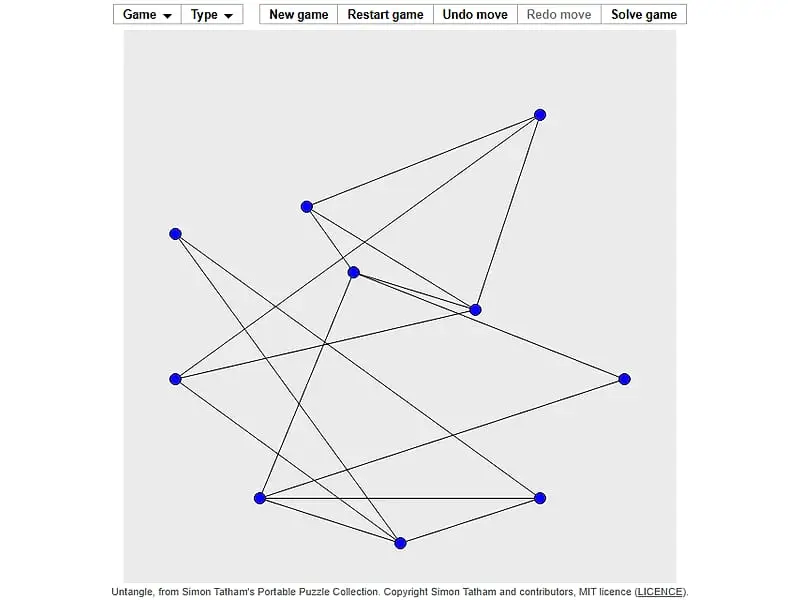
Untangle Lines is a single-player puzzle about a network of dots joined by straight lines. You drag the dots anywhere on the board, and their lines stretch along with them. The goal is to arrange the dots so that no two lines cross, which is always possible.
- Category
- Puzzle Games
- Players
- 1 player
- Plays on
- Phone, tablet & desktop
- Input
- Mouse, Keyboard, Touch
- Made by
- Simon Tatham
- Checked
Untangle Lines is the kind of puzzle you can understand in five seconds and still be thinking about twenty minutes later. A cluster of blue dots is wired together with black strokes, and at the start those strokes criss-cross everywhere. You can grab any dot and put it anywhere, and its lines stretch to follow. Shuffle the dots around until every crossing is gone. It comes from Simon Tatham’s collection, plays unblocked here, and has a gentle pace with no clock and no move counter to worry about.
What You Are Working With
A new puzzle always starts with the dots spaced evenly around a circle. Because of that ring layout, most connections pass through the center and form a thick knot.
Press on a dot, drag it somewhere else and release. Every line attached to it moves along. The connections themselves never change: whatever pairs are linked remain linked for good. Your only freedom is where the dots sit.
Once no lines cross at all, the board flashes. You can rethink at any time with Undo for a single drag, Restart to return to the circle, or Solve to see one finished layout.
Untangle Lines controls
| To do this | Keyboard | Mouse | Touch |
|---|---|---|---|
| Drag a dot | — | Click and hold the dot, then move it | Press the dot and slide your finger |
| Move a dot with the keyboard | Arrows or Tab/Space to choose, Enter to grab, arrows to move, Enter to release | — | — |
| Undo, redo, new puzzle | U / R / N | Undo move, Redo move and New game buttons | Undo move, Redo move and New game buttons |
| Choose how many dots | — | Type menu | Type menu |
From Tangle to Flat in Four Moves of Thought
Look for triangles. Three mutually connected dots make a sturdy frame. Pull one triangle out into open space and start building the picture around it.
Leave the busy dots for later. A dot with five or six connections drags a lot with it, so placing it early rarely works. Settle the dots with two or three connections first, then fit the busy ones in the middle.
Spread out. The starting circle uses only part of the board. Move finished sections toward the edges so you have room to work in the center.
Work crossing by crossing. Choose two lines that intersect, then swing one end of either line around the other. Repeat. It sounds slow, but on small puzzles it is surprisingly fast.
On bigger boards, turn on the crossing highlight in Preferences. It colors the lines that still cross, which turns a confusing picture into a short to-do list. Snapping to a grid is also handy if you like neat layouts.
A Relaxed Puzzle That Scales Up
Untangle Lines is ideal when you want something calm. The 6-point version is a quick warm-up, while 25 points or a large custom count becomes a real spatial challenge. The keyboard controls also make it playable without a mouse.
If you like rearranging shapes, try Tangram, where seven pieces must fill an outline. For more relaxed browser games, look through our casual games list.
Untangle Lines: questions players ask
Does every Untangle Lines puzzle have a solution?
Yes. Each puzzle begins life as a clean, crossing-free picture whose dots are then moved onto a ring. So an untangled layout is guaranteed, even if your final layout looks nothing like the original.
How can I see which lines still cross?
Look in the Preferences under the Game menu for the setting that colors intersecting lines. That panel also offers grid snapping, which helps make tidy layouts.
Is there a time limit in Untangle Lines?
No. Nothing is timed or counted, so drag as freely as you like. Undo reverses your latest drag, and Restart puts every dot back on the starting circle.
How do I make the puzzle harder?
Choose a larger preset under Type, where sizes go from 6 up to 25 dots, or set any count you like in Custom. A new session begins at 10.
Does tapping a dot move it on a phone?
No. A quick tap does nothing on its own. Hold a dot and slide your finger to move it.
Credits and license
Untangle Lines was created by Simon Tatham and released as open source. FreezeNova hosts a lightly adapted copy on its own server, together with the original license file.
- Source code: git.tartarus.org/simon (original project)
- Code license: MIT
- Art & audio: MIT (all graphics are drawn by the game code; no images or audio)
- Our changes: Given a new name here. We use the author's official web build without off-site links, fitted it to our player and added a small touch layer for dragging. The puzzle code is as published.